Refoto : AI Photo Studio
mAst App 2026Photography
4.434.00 Reviews
- Version
- 1.1.5
- Installs
- 10.00M
- Age Rating
- Everyone
Screenshots
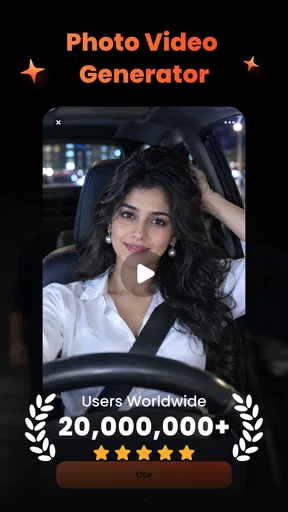
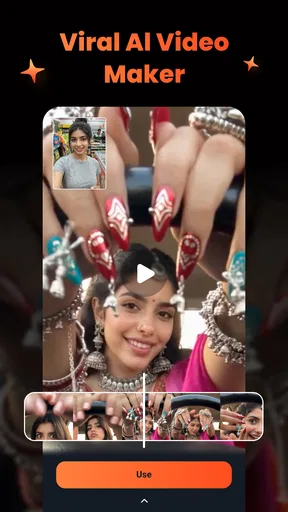
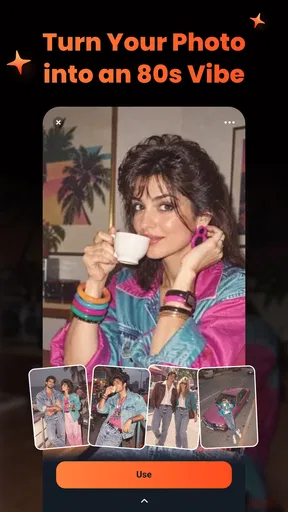
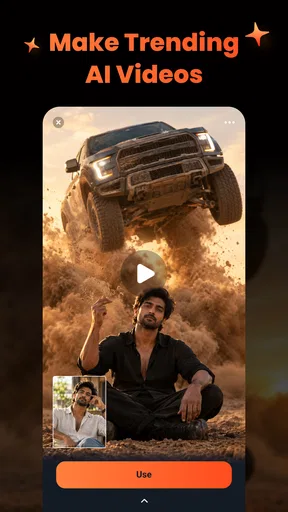
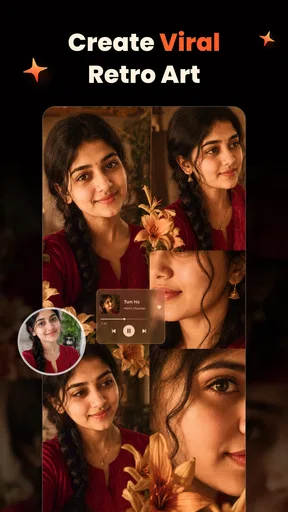
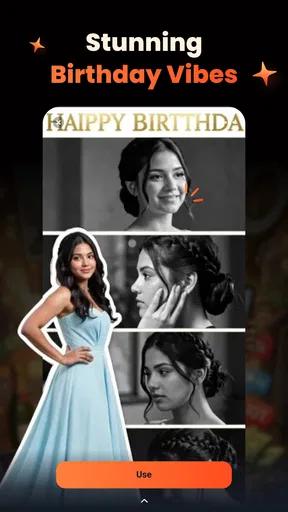
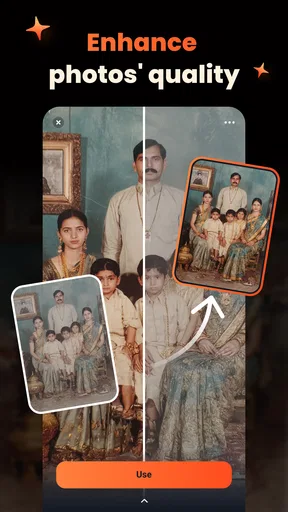
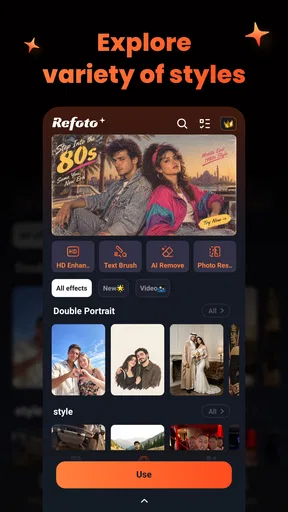
Our Review of Refoto : AI Photo Studio
 Analysis by Appyee
I spent time with Refoto: AI Photo Studio to understand whether its main appeal—turning ordinary images into AI-enhanced portraits and quick edited photos—actually helps in everyday use. It is a free photography app from mAst App 2026, aimed at people who want a noticeable change without opening a full desktop editor or learning a complicated mobile workflow.
My overall impression is that Refoto is most interesting when you treat it as a fast transformation tool rather than a complete replacement for a traditional photo editor. The central capability is convenience: choose a suitable image, apply an AI treatment, and get a more polished or stylized result with very little manual work. That approach can be genuinely useful, but it also means the quality of the original photo and the chosen effect matter more than they might at first appear.
What the AI portrait approach really changes
The app’s strongest idea is not simply adding another filter. Its AI portrait and one-tap photo tools are designed to make a photo feel more deliberately produced, even when the starting image is a casual snapshot. In practice, that can mean giving a portrait a more finished appearance, making a profile image feel more presentable, or creating a visual variation when the original picture is technically fine but visually unremarkable.
I found this especially appealing for people who do not want to adjust exposure, color, sharpness, skin details, and background treatment separately. Refoto puts the emphasis on the result rather than the process. You choose an image and let the app make the main creative decisions. The real benefit is reduced editing friction, not unlimited control.
That distinction is important. Someone looking for a complete layer-based editor, precise masking, or careful color grading will probably feel restricted. Refoto makes more sense for a quick portrait refresh or an AI-generated variation than for a photographer who wants to preserve complete control over every part of the frame.
The app is also easy to approach because it carries an Everyone content rating and works on devices running Android 7.0 or later. That broad compatibility makes it practical for people using older phones, although the experience of AI processing can still depend on the device and the complexity of the chosen transformation. The current version is 1.1.5, so I would still keep the app updated before judging its performance.
Why the original photo matters more than expected
AI editing is often presented as if any image can become a convincing portrait. My experience with this kind of workflow is more nuanced, and Refoto is no exception. A clear face, reasonable lighting, and a straightforward pose give the system a much better starting point than a dark group photo, a heavily blurred selfie, or an image with the subject partly hidden.
This leads to a useful habit: before applying an effect, select the cleanest source rather than automatically choosing the most recent picture. A simple image with the face visible can produce a more believable result than a more dramatic photograph with difficult lighting. That small choice saves time and reduces the temptation to keep regenerating or re-editing a weak source.
I also recommend keeping the first result as a draft rather than immediately treating it as the final image. Look closely at the eyes, hairline, facial edges, jewelry, and areas near the shoulders. AI portrait tools can make a picture look impressive at a glance while introducing small inconsistencies that become obvious when the image is enlarged or shared in a professional setting.
How the one-tap workflow feels in practice
The appeal of a one-tap process is obvious: it removes the sequence of decisions that normally slows down mobile editing. Instead of asking which adjustment should come first, you begin with the visual direction offered by the app and judge whether it suits the photo. This is a better fit for quick experimentation than for a carefully planned retouching session.
In a realistic everyday situation, imagine that I need a new profile picture after an informal photo session. I might select a well-lit head-and-shoulders image, try the portrait treatment, compare the result with the original, and save the version that still looks like me. If the effect changes the image too dramatically, I would return to the original rather than forcing the AI result to work. That last step matters because a polished image is not automatically a useful image.
For social posts, the same workflow can be convenient when I want several visual options from one photo. Refoto gives me a fast way to explore an alternative mood without spending time learning a complicated editor. However, I would still use a conventional cropping or layout tool afterward if the image needed a specific format for a profile, post, or printed card. Refoto’s value is strongest at the transformation stage, not necessarily at every stage of preparing an image for publication.
One practical tip is to compare the AI version directly with the untouched original before sharing it. The original acts as a reference for identity, expression, and natural skin texture. If the edited image looks smoother or more dramatic but no longer feels authentic, the transformation has gone too far for that particular use.
A useful workflow for portraits and personal images
I would use Refoto in four deliberate steps. First, duplicate or preserve the original image outside the editing process. Second, choose a source with a clear subject and avoid judging the effect from a tiny preview alone. Third, inspect the result at a larger size, especially around facial features and the outline of the head. Finally, decide where the image will be used before exporting or sharing it.
That last decision changes the standard you should apply. A playful image for a private conversation can tolerate a stronger transformation than a professional profile picture. A family image may benefit from a subtle enhancement, while a creative post might be improved by a more noticeable AI style. Refoto can serve all of these situations, but the best result comes from matching the intensity of the effect to the purpose.
I would also avoid editing every image in a batch simply because the process is fast. AI tools can encourage quantity over judgment. Selecting one strong portrait and refining the choice is usually more effective than producing many versions and hoping one feels right. The app makes experimentation easy, but the user still has to provide the taste.
Where Refoto is particularly useful
The strongest scenario is a person who has a decent photo but no interest in traditional editing. Perhaps the image is intended for a messaging profile, a casual social account, or a quick personal project. In that context, the app can turn a plain source into something more distinctive without demanding technical knowledge.
It can also help when the goal is to explore an idea before committing to a more involved edit. For example, I might want to see whether a portrait feels better with a more stylized AI treatment before spending time recreating that look manually. Refoto works as a fast visual test: if the direction looks promising, I know what kind of result I want; if it looks artificial, I can return to the original or use a more restrained editor.
Another non-obvious use is preparing alternatives for different audiences. A natural-looking version may suit a work-related profile, while a more expressive version may be appropriate for a personal account. I would not assume that one AI result should serve every purpose. Creating separate versions can be useful, provided I label them clearly and keep the untouched source safe.
The app is also approachable for relatives or friends who find conventional editing apps intimidating. Since the main interaction is based around quick AI results, it lowers the barrier to trying something creative. That simplicity is a strength for beginners, though experienced editors may see it as a limitation because fewer decisions are exposed.
The tradeoff between speed and control
Refoto’s convenience comes from handing much of the editing judgment to the AI. That is exactly why it can feel fast, but it is also why the result may not match a precise personal preference. If I want to brighten only one side of a face, protect a particular texture, or make a very small correction without changing the overall character of the image, a standard manual editor is usually the better choice.
There is also a difference between looking polished and looking natural. Portrait enhancement can be attractive on a phone screen, yet the same image may seem overprocessed when viewed closely. I would be cautious with formal photos, identity-sensitive images, and pictures where accurate facial appearance matters. Refoto is better for creative presentation than for situations where the image should function as a neutral record.
The free download makes trying the app easy, but in-app purchases range from $3.99 to $29.99 per item. That does not make the app unsuitable, but it does mean I would inspect the available choices carefully before treating it as a regular editing habit. A quick experiment is different from building a workflow around features that may require additional spending.
Another tradeoff is that AI results can be less predictable than manual adjustments. With a conventional editor, I generally know what a slider will do. With an AI transformation, the change can affect several visual elements at once. That can be exciting when the result works, but frustrating when the face, expression, or overall style moves away from what I intended.
For that reason, I would not recommend Refoto as the only photo tool on a phone. It pairs better with a basic editor that can handle cropping, small corrections, and final preparation. Refoto provides the creative jump; a manual tool provides the finishing discipline.
How it compares with ordinary photography apps
Compared with a standard filter app, Refoto feels more focused on transformation than on simple color changes. Traditional filters usually apply a consistent visual treatment across the frame, while an AI portrait workflow attempts to make the subject itself the center of the change. That can create a stronger before-and-after effect, especially with a face-focused image.
Compared with a full manual editor, the difference is almost the opposite. A manual editor rewards patience and precision, while Refoto rewards quick selection and visual judgment. If I already know exactly what needs fixing, manual controls are often more dependable. If I only know that a photo feels ordinary and want to explore a new direction, Refoto is more inviting.
It also differs from a camera app because the important work happens after the picture has been taken. I would not open it expecting advanced shooting controls or a replacement for a dedicated camera workflow. Its natural place is in the editing stage, particularly when the desired outcome is an AI portrait or a fast stylized variation.
The best choice therefore depends on the question I am asking. “Can I correct this specific detail?” points toward a manual editor. “Can I make this portrait more distinctive with minimal effort?” points toward Refoto. “Can I capture the best possible original?” points toward the phone’s camera or a dedicated camera app.
Who should try it, and who should skip it
I think Refoto is a good match for casual creators, social-media users, beginners, and anyone who wants quick AI portrait experiments without a steep learning curve. It is especially suitable when the final image is personal, informal, or creative and when speed matters more than pixel-level control.
People who regularly prepare professional headshots, product images, documentary photographs, or carefully consistent brand content should be more selective. They may prefer an editor with dependable manual controls and a repeatable process. Refoto can still be useful for brainstorming, but I would not make an AI transformation the automatic final step for work where visual accuracy is essential.
I would also skip it if I dislike the idea of reviewing AI-generated changes closely. The app’s simplicity does not remove the need for judgment. A one-tap result can be ready quickly, but it is not necessarily ready to publish. Anyone who wants complete control over skin texture, facial detail, color, and composition may become impatient with the app’s guided approach.
The app’s popularity suggests that the concept has broad appeal: it has a 4.4 average from around 51 thousand ratings and has passed 10 million installs. Those figures make it clear that Refoto is not an obscure experiment, but they do not guarantee that every effect will suit every face or photograph. I would use that audience size as a reason to try it, not as a substitute for checking the actual results on my own images.
My final view after using the app
Refoto: AI Photo Studio succeeds when I want a fast creative change and do not want to manage a long list of editing controls. Its AI portrait focus gives ordinary photos more room to experiment, and the one-tap approach is genuinely approachable for people who normally stop at the camera roll.
At the same time, I would keep my expectations realistic. The app cannot turn every poor source image into a convincing portrait, and a dramatic transformation is not always an improvement. The most reliable approach is to start with a clear original, compare the result carefully, and choose the effect according to where the image will be used.
For me, its best role is as a fast creative layer inside a broader photo workflow. I would use it to test ideas, prepare a casual profile image, or create an alternative portrait, then rely on a more conventional tool when I need exact cropping or careful finishing. It is free to start, available to a wide range of Android users, and developed by mAst App 2026, but the optional purchases mean I would explore the free experience before spending more.
If you want instant AI portrait experimentation and can accept less manual control, Refoto is worth trying. If your priority is faithful retouching, precise corrections, or professional consistency, I would choose a traditional editor instead. The app is at its best when convenience is the point—and when I remember that the final decision still belongs to me.
Verdict
Strengths of Refoto : AI Photo Studio
- Creates polished AI portraits with little editing experience.
- Offers creative styles for social profiles and personal projects.
- Simple interface makes photo enhancement quick to learn.
- Useful for experimenting with different looks before sharing.
- Can save time compared with manual retouching tools.
Limitations of Refoto : AI Photo Studio
- Results may look artificial, especially with unusual poses or angles.
- Some advanced styles or exports may require a paid subscription.
- AI processing can take time when servers are busy.
- Uploaded photos may raise privacy concerns for cautious users.
- High-quality results depend heavily on clear, well-lit source images.
Similar Picks in This Category
View All
Google Photos
Google LLC4.4

Gallery
Google LLC4.2

Picsart AI Photo Editor, Video
PicsArt, Inc.3.9

B612 AI Photo&Video Editor
SNOW Corporation4.1

BeautyPlus-Selfie Photo Editor
PIXOCIAL TECHNOLOGY (SINGAPORE) PTE. LTD.4.5

Remini - AI Photo Enhancer
Bending Spoons4.1
Frequently Asked Questions
What is Refoto: AI Photo Studio used for?
Refoto: AI Photo Studio is designed for creating and enhancing images with artificial intelligence. It can help transform ordinary photos into stylized portraits, apply creative effects, improve the overall appearance of pictures, and generate visually polished results with relatively little manual editing. It is aimed at users who want quick, social-media-ready images without needing advanced photo-editing experience.
Does Refoto: AI Photo Studio require an internet connection?
Most AI-powered features generally require an active internet connection because photos may need to be uploaded to remote servers for processing. Basic app navigation or previously saved images may remain available offline, but generation and advanced editing tools can be limited without connectivity. Users should also consider their mobile data usage when processing high-resolution photos away from Wi-Fi.
Is Refoto: AI Photo Studio free to download and use?
The application may be available as a free download, but some tools, styles, export options, or enhanced processing features can be restricted behind in-app purchases or a subscription. Before confirming a trial or payment, carefully review the pricing page, renewal terms, and cancellation instructions. Availability of free credits and premium features may also vary by platform or region.
Are my photos safe when using Refoto: AI Photo Studio?
Before uploading personal images, users should review Refoto’s privacy policy and the permissions requested by the app. AI processing can involve transferring photos to external servers, and the handling period, storage practices, and deletion options may differ by feature. Avoid uploading highly sensitive images unless you understand how they are processed and whether you can remove them later.
What kind of photos work best with Refoto: AI Photo Studio?
Clear, well-lit photos usually produce the most convincing results, especially when the subject’s face is visible and not blocked by sunglasses, heavy shadows, or other objects. Front-facing portraits with good resolution tend to work better than blurry group shots. Results can still vary depending on the selected style, facial details, background complexity, and the quality of the original image.
